

AI tool usage graphs look exactly like dashboard usage graphs. I’ve been staring at both for six years, and the curves are identical — spike, cliff, silence.
I have eleven AI tools on my stack right now. I use two. The other nine are as brilliant and as ignorant as the day I installed them. ChatGPT writes perfect SQL nobody at my company would run because it doesn’t know rev_adj_2 is adjusted revenue (seriously, if the engineers would see what crap I put into AppSmith, well, let’s just say, I’m happy they usually don’t look). A coding assistant that’s never seen our models or best practices. World-class capability multiplied by zero knowledge of my world.
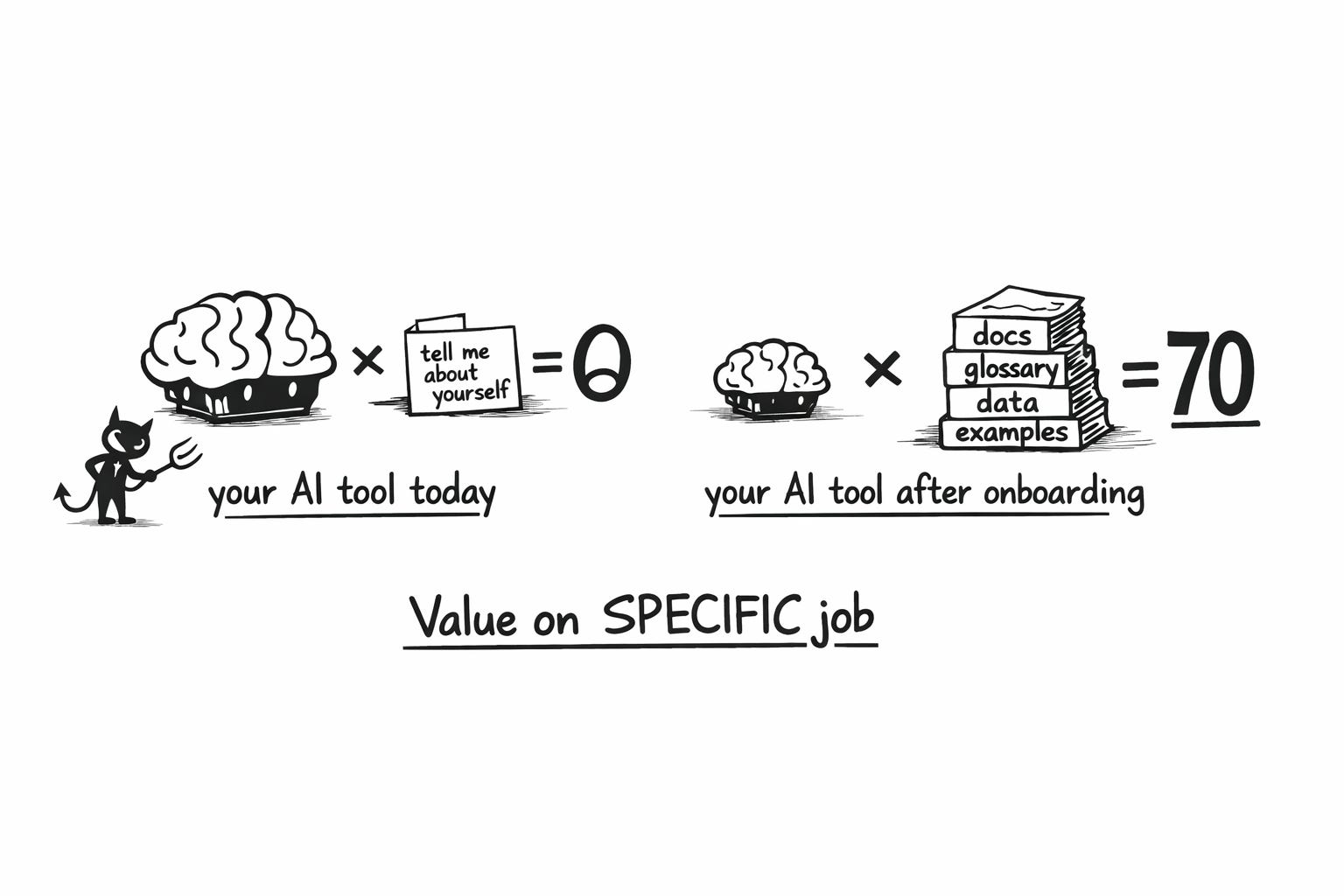
That multiplication isn’t a metaphor. It’s actually the equation that killed your dashboards, and it’s killing your AI tools right now. I think of it like this:
Value delivered on a specific job = Capability × Specificity
What killed your dashboards? Its not that “they” weren’t good. It’s that they lack the level of specificity needed to make great decisions (which is, why you’re the one injecting that if you want to make your dashboards suck less).
Specificity means the tool can absorb context that is specific to you and your company (and the job!) — and actually use it effectively for the job you need done. If specificity is zero, the model doesn’t matter. Zero times anything is zero.
So in my experience, AI tool adoption dies for three reasons:
you never defined the job,
you never onboarded the tool,
or the tool can’t absorb your reality.
Most teams are running all three failure modes simultaneously. Which is great new for you, it means you have a lot of levers here!
If you only do one thing this week: Pick one AI tool. Define its job in one sentence. Write the onboarding checklist a working student would need for that job. Then ask whether the tool can actually absorb that material. If it can’t — it’s dead on arrival, and now you know.
Let me show you what I mean.
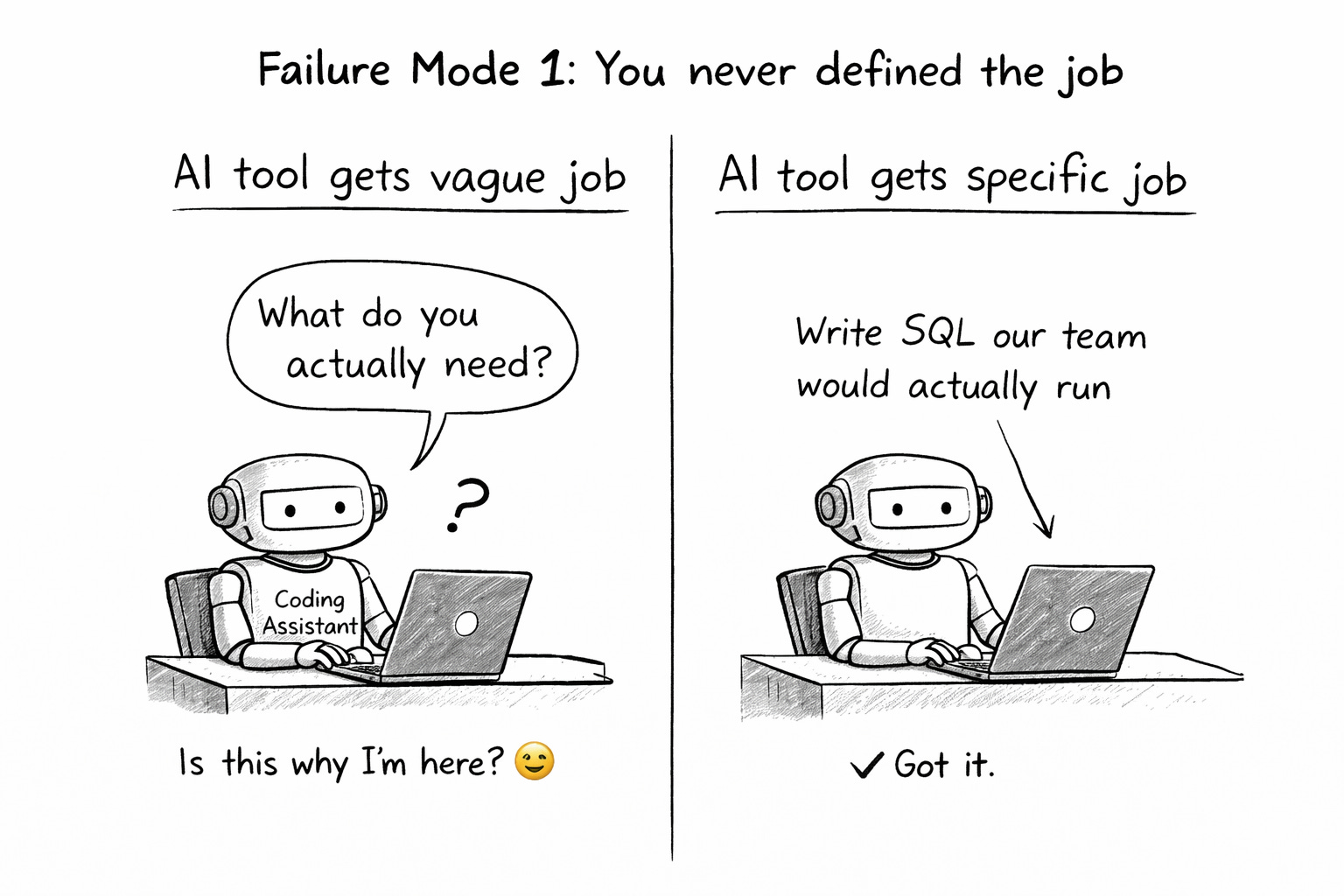
Failure Mode 1: You never defined the job
“Coding assistant” isn’t a job. “Write SQL our team would actually run” is a job, a specific one (and this likely tells you why your data teams adoption of cursor isn’t at 100%). “Meeting tool” isn’t a job. “Take notes that capture the details I’d miss and coach me through calls” is a job.
If you hired a working student for one narrow task, you’d define exactly what you need before their first day. But that’s how most teams adopt AI tools — they subscribe, play around for a week, and never once define what done looks like for this tool at this company.
If you can’t state the job in one sentence, you can’t onboard. And if you can’t onboard, specificity stays at zero, even if you “connected the SharePoint, and loaded the data catalog”. By month three, nobody remembers why you’re paying for it.
Examples of different jobs: I use (a customized project in) ChatGPT to write SQL because I don’t really need to write “SQL our tam would run” but rather “fast insights into our data and creative analysis” whereas our engineers will hook up cursor with an MCP into the database to write productionized versions of SQL for dashboards (and of course the App itself).
SIDE NOTE: Context engineering won’t save you. As Steven Pressfield would say, you have to do the work, period.
Failure Mode 2: You don’t have the onboarding checklist
Even when teams define the job, they skip the onboarding entirely. They expect the tool to figure it out. Would you do that with a human?
When a working student joined my data team at Unite for the job “write SQL our team would actually run,” here’s what they got on day one:
Company context — the handbook, the team handbook, the onboarding docs.
How we work — Jira tickets, definition of done, our specific workflow.
What “done” looks like — a complete example ticket end-to-end, with commentary from the requester, user feedback, and final evaluation. Style conventions — linting rules, SQL standards, commenting practices.
Technical context — databases, tool stack, schemas.
Business language — data catalog, a walkthrough from a lead data engineer explaining what things are called and why.
After that? Ready to contribute. Before that? Brilliant but useless. Exactly like your AI tools.
Now the same logic for a completely different job. Granola’s job for me is “take smart meeting notes and coach me through calls.” If I hired a human for that, they’d need:
My profile — strengths, weaknesses (I’m a big-picture thinker, I lose details — flag them).
My thinking patterns — default questions, what I value. (As recipes in Granola)
Meeting context — who’s in this call, what we discussed last time. Note structure — my template, relationship history with this person. (On top of each meeting)
Live input — my thoughts during the meeting as they come.
Two different tools. Two different jobs. The exact same onboarding logic. You have this checklist for your human hires. You don’t have it for your AI tools. Create it.
Failure Mode 3: The tool can’t be onboarded — and you never checked
This is the failure mode nobody talks about because it means admitting you bought the wrong thing.
Some tools literally have no mechanism for absorbing your reality. No custom instructions. No project files. No knowledge base. No connected repos. No memory. Nothing. They’re the working student who showed up on Monday but you’re not allowed to give them the onboarding packet. Doesn’t matter how brilliant they are — they’ll never know your world.
Others have the mechanism but don’t actually use it. You upload your documentation and the tool ignores it. You write detailed custom instructions and it defaults to generic output anyway.
The question most teams never ask: for each item on my onboarding checklist, can this tool accept it? And if I give it, will it actually use it for this specific job?
Granola survived on my laptop because I can do all of this — inject my profile, set up recipes for thinking patterns, drop participant context into each meeting, structure templates, type live thoughts. The nine tools that died? Most of them couldn’t accept a single item from the checklist.
What happens when you actually onboard: MAIA accidentally beat DeepL
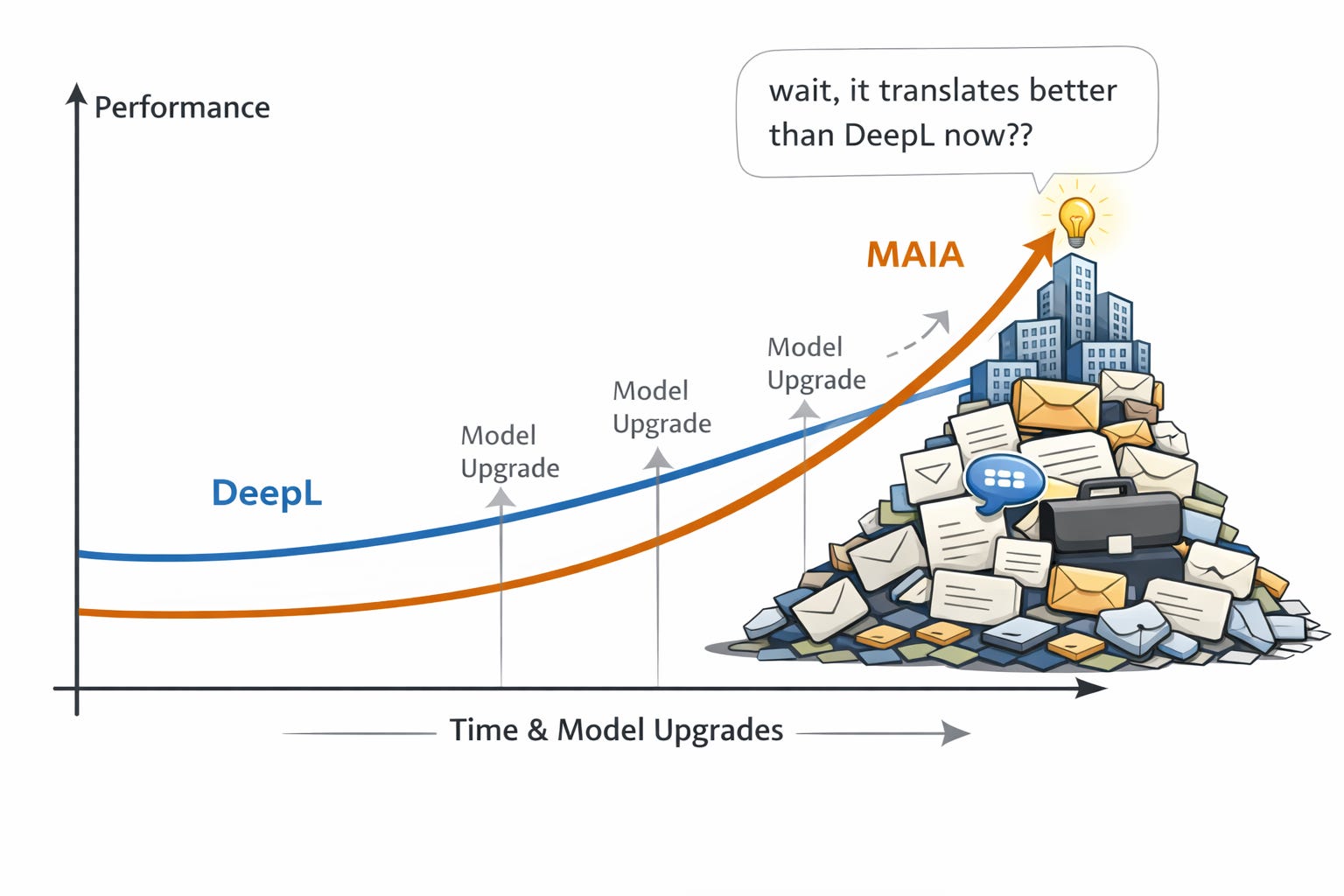
Three customers told me in sixty days that MAIA translates better than DeepL. We don’t even build a translator.
I’m Head of Product at MAIA, where we build AI knowledge management for industrial companies. DeepL is one of the best translation tools on the planet. So the first time I heard this, I was excited, but cautious. But by now, I’ve heard this so often from so many customers that I’m confident about the results: For our niche customers, industrial companies, deep technical knowledge, MAIA translations are way superior to the ones from DeepL. (So much that customers will work around the page limitation we have, and DeepL does not!)
These companies had onboarded MAIA deeply. Over months, it had absorbed corrected terminology, accumulated glossaries, internal abbreviations, supplier jargon, product names, standards — the stuff that lives in people’s heads and was never formally documented. Then AI capabilities improved underneath. Better models dropped. And those better models got multiplied by deep, accumulated company context. Translation quality nobody at MAIA designed just... emerged.
SIDE NOTE: I talked to the DeepL chatbot who’s able to admit that DeepL sucks for some customers, DeepL of course has a “glossary,” but the only part of DeepL that acknowledges how important context is, is their case study on a company with a 30,000 word glossary (poor person who must maintain that one). Thank you DeepL for making the lives of your customers so hard, makes it like taking candy from a child.
DeepL gets the exact same model upgrades. Multiplied by zero company-specific context. It becomes a generically better translator every quarter — a brilliant working student who keeps getting smarter but was never onboarded. It’ll never know that your company calls a specific part “KV-Flansch” internally while the industry standard is something else entirely.
A customer got a capability nobody sold them, nobody planned for, and nobody at MAIA designed. They got it because they had done the onboarding work — and then AI got better underneath. In fact, customers asked for this specific capability a ton of times, and I shot it down. Thankfully.
Punchline: onboarding isn’t just about making tools useful today. Every model improvement coming over the next year gets multiplied by the context you’ve already built up. The onboarded tool compounds. The un-onboarded tool just becomes a faster stranger. The companies that invested in teaching their AI tools will wake up one morning to capabilities they never asked for. But only if specificity is above zero when those improvements arrive.
Product Builder Note: If you’re building an AI tool, flip the lens. The process outlined here is genuinely hard for your users - but right now, it is necessary. They don’t have time to go into the depth to write onboarding checklists. They don’t know what context you need. They barely know what job they’re hiring you for. That’s YOUR job. Know your users so well that you can extract the right kinds of specific context from them — with minimal friction, at the right moments, in the right formats. Your job isn’t to build a bigger context window or a fancier RAG pipeline. Your job is to be a chief specific context extractor. Figure out what onboarding your tool needs, then make it effortless for the user to provide it. I believe MAIAs product principles already do a good job of conveying these ideas for builders ⇒ New job title: Chief Context Extractor.
Think about doing this now
Block 30 minutes. Bring your team if you’re a lead.
Step 1: List every AI tool you or your team is paying for.
Step 2: Define each tool’s job in one sentence. Not “coding assistant” — “write SQL our team would actually run.” Not “meeting tool” — “capture the details I miss and coach me through calls.” If you can’t write the sentence, you’ve found Failure Mode 1.
Step 3: Write the onboarding checklist for each job. What would a working student need? Company context, how you work, what “done” looks like, style conventions, technical context, business language. If you don’t have this checklist, you’ve found Failure Mode 2.
Step 4: For each item on the checklist, ask: can this tool accept it? Custom instructions, project files, knowledge bases, connected repos, memory, templates — is there a mechanism? And if you give it, will it actually use it? If the tool can’t absorb your onboarding, you’ve found Failure Mode 3. It’s dead on arrival. Cut it now.
Step 5: For the tools that pass — actually do the work. Block the time. Write the instructions. Upload the docs. Build the templates. This is the onboarding you skipped.
Step 6: After two to three weeks of real use with full context, the tools that still feel like strangers get cut. The ones that feel like your working student after month two — the one who knows your systems, your shortcuts, the one you actually rely on — those are your keepers.
Most of your tools will fail at step 4. That’s the point.
The curve hasn’t changed
Spike, cliff, silence. Dashboards ran it because they didn’t know your decisions. AI tools are running it because they don’t know your reality. Capability × 0 = 0.
The tools that survive won’t be the smartest. They’ll be the ones that stopped being strangers. Stop configuring. Start onboarding.
Further reading
This article is about selecting the right (AI) tools, and that’s a key point at where tons of companies are at at this moment. But of course, the fundamental question isn’t “which tools?” but rather “how do we become better? (and how do we do this with AI?)” I’ll write about this as soon as I get around it, I have a pretty clear way of doing that myself. But in the meantime, I do still recommend to read “Working Backwards: Insights, Stories, and Secrets from Inside Amazon” in particular about how they used the Six Sigma approach to optimize their work processes. I basically believe, if you substitute the optimize steps with “optimize with AI” you’re already there - Same story there, hard work first, tools don’t matter in the end.
Also another interesting piece in that direction is “The lantern and the flame” (by the Exponential View - an excellent publication), highlighting places to use AI and where not to use it, in writing that is.
Finally, I personally think the way Ethan Mollick thinks about using AI is very much aligned with how I believe AI should be used. Oh and he has the research to back it up. Read from him on “One Useful Thing” (he posts about once a month) and consider reading his book “Co-Intelligence: Living and Working with AI.” (strongly encouraged read for every employee over at MAIA)